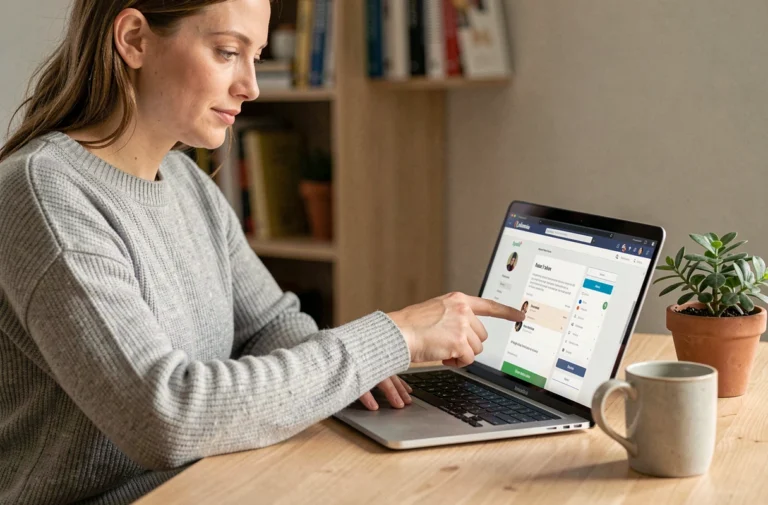
The BNP Paribas Private Banking client space is based on the portal mabanqueprivee.bnpparibas, distinct from the public site mabanque.bnpparibas. This technical separation has direct consequences on the login process, authentication channels, and access incident resolution.
DSP2 Authentication on the BNP Paribas Private Banking Portal: What Changes Compared to the Personal Site
The Private Banking portal applies strong authentication systematically at each login, in accordance with the European DSP2 directive. On the personal site, enhanced authentication only occurs periodically or during sensitive operations. On mabanqueprivee.bnpparibas, the combination of username, password, and temporary code is required for each session.
Three channels are available to receive this temporary code: push notification via the app, SMS to the number registered with the bank, or the Digital Key. We recommend prioritizing the Digital Key, which does not depend on network coverage and generates a code locally on the enrolled device.
Before proceeding, you must have a specific Private Banking username (different from the personal username if you have multiple profiles) and have activated at least one strong authentication channel. To access my BNP Paribas private banking accounts without blockage, verifying these prerequisites remains the first reflex to adopt.
Resolving Connection Blockages for BNP Paribas Private Banking Online
Connection failures on the Private Banking portal rarely stem from an incorrect password. We observe that the majority of incidents are related to the technical environment of the browser or device, not the credentials themselves.
Browser-Side Checks
The portal mabanqueprivee.bnpparibas uses scripts that may conflict with certain extensions (ad blockers, third-party password managers, security extensions). Testing the connection in private browsing mode without active extensions allows you to isolate this type of conflict in seconds.
Another frequently underestimated point: third-party cookies. If your browser blocks them by default (standard behavior on Safari and Firefox for several versions), the authentication mechanism may fail silently, without an explicit error message. You must then allow cookies for the bnpparibas domain.
Disable VPN Before Connecting
An active VPN alters the IP address perceived by the authentication server. BNP Paribas’s fraud detection system may interpret this geographical inconsistency as a risk and block the session. Disabling the VPN before connecting eliminates this false positive.
If the blockage persists after these checks, resetting the password via the dedicated link on the portal remains the standard procedure. A verification code is sent to the already registered strong authentication channel.
Mobile App My Accounts and Private Banking Compatibility
The My Accounts BNP Paribas app (available on iOS and Android) provides access to Private Banking accounts, provided that the Private Banking profile is linked to the username used in the app. This linkage is done at the branch or through the private banker, not directly in the app.
One technical point deserves attention: the app’s compatibility depends on the operating system version. Smartphones that no longer receive major updates (typically models over four or five years old) may be excluded from new versions of the app. In this case, access via the mobile browser on mabanqueprivee.bnpparibas remains functional, but without the native features (push notifications, embedded Digital Key).
Differences Between the Website and the Mobile App
The Private Banking website offers a consolidated view of wealth assets, management mandates, and performance reports. The mobile app focuses on current operations: balance inquiries, transfers, downloading statements.
- The website allows access to wealth simulators and detailed management reports, which are absent from the mobile app
- The app natively integrates the Digital Key, simplifying strong authentication without switching to SMS or another device
- Custom alerts (balance thresholds, order execution) are set up in the app and triggered by push notifications
For comprehensive wealth tracking, we recommend using the website in conjunction with the app, rather than as a substitute.

Security of the mabanqueprivee.bnpparibas Portal: Technical Vigilance Points
The protection of data on the Private Banking portal relies on end-to-end TLS encryption and the strong authentication mechanism described above. A few additional reflexes enhance daily security.
- Never save the Private Banking portal password in the browser’s native password manager, which remains vulnerable in case of device compromise
- Always check that the URL starts with mabanqueprivee.bnpparibas before entering your credentials, as phishing attempts regularly target private banking clients
- Manually log out of the session after each use rather than closing the tab, as closing the browser does not guarantee session closure
If in doubt about a phishing attempt or unauthorized access, the opposition procedure at the client number is available directly from the private banker or via the dedicated service. This opposition immediately freezes online access while securing the account and generating new credentials.
Access to BNP Paribas Private Banking accounts online relies on a distinct portal, permanent strong authentication, and a technical environment that must be mastered on the client side. A clean browser, an up-to-date device, and an activated Digital Key cover nearly all cases of blockage encountered.